Handheld Console or Phone Controller: Buy for the Games First
Our buying advice is based on published specifications and documented features. The shop links below go to official stores and currently contain no affiliate tracking. Read our disclosure.
Gear to consider
Start with your use case. Check the store for the current price, compatibility, and availability.
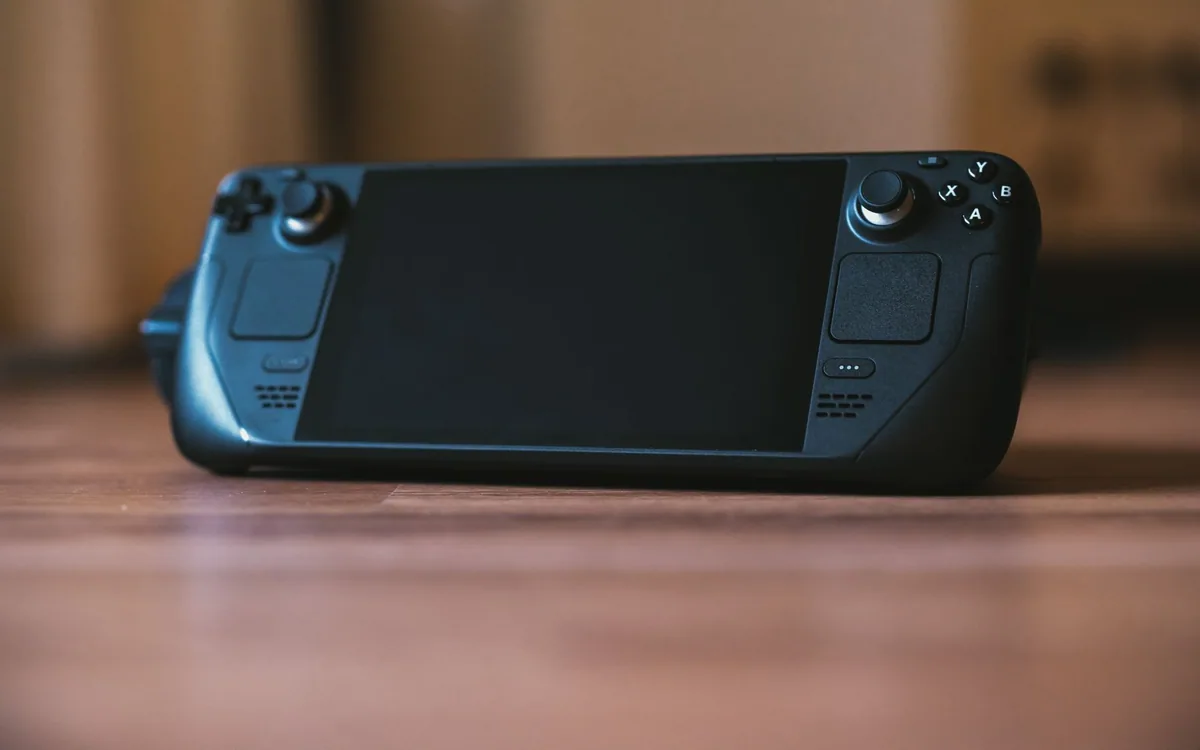
A long train journey is coming up, and you want something more satisfying than tapping at a phone screen. A clip-on controller costs less than many dedicated handhelds and uses the display already in your pocket. The console offers a separate battery, library, and place to keep your games.
Start with what you want to play while seated without dependable internet. The hardware decision becomes much clearer once you know whether those games actually run locally, stream from a service, or require access to another machine.
| Decision | Phone controller | Dedicated handheld |
|---|---|---|
| Screen and battery | Uses your phone | Separate device to charge |
| Game library | Supported phone and streaming titles | Platform-specific compatible library |
| Travel setup | Smaller accessory, phone fit matters | More packed equipment |
| Offline play | Depends on each game | Also depends on each game |
Write down five games, then check each one
For each title, verify the platform version, controller support, account requirements, and offline behavior. A familiar franchise name does not establish that the phone version matches the console game. Cloud access also differs from owning and installing a local version. Use the publisher's and platform's current documentation before making the accessory responsible for a game it cannot enable.
Do the same for a dedicated handheld: compatible library, storage, download requirements, and any first-run authentication matter. If the point is travel, launch the games in the intended offline state before leaving. A system that works on home Wi-Fi can still disappoint when a journey removes the connection on which its setup quietly depended.
Compare a phone controller with its real limits
Backbone One USB-C connects directly to a compatible phone and offers pass-through charging. Its official information distinguishes connector versions and describes supported phone and game requirements. Those are helpful features for a compact kit, but the controller does not add a new game catalogue by itself. Games, subscriptions, and supported services remain separate decisions.
Check your exact phone and case fit, including camera protrusion and any required adapters. Also consider whether incoming calls, navigation, and messages will interrupt the session. A controller can make an existing phone game easier to operate while still tying entertainment to the device you need for tickets and directions. At our source check, the selected Backbone listing showed sold out; verify stock before planning around it.
Understand what the dedicated device buys
A dedicated handheld separates gaming from the phone. That can preserve phone availability and keep games ready in one place. It also adds a screen, charger, protective case, and another battery to manage. Compare the complete packed setup rather than the handheld's bare dimensions. A comfortable large device at home may be awkward beside a stranger on a narrow seat.
The strongest reason to buy one is access to a particular compatible library in the way you want to play it. The weakest reason is the vague hope that owning more hardware will create gaming time. Borrowing, trying a shop unit where available, or choosing from your existing platform can help clarify the fit without guessing about comfort from photographs.
Separate local play from cloud and remote play
Local games depend mainly on the installed title and device once their requirements are satisfied. Cloud gaming depends on service availability and a suitable network. Remote play adds the condition of a configured console or computer elsewhere. They can all be useful, but they respond differently to weak station Wi-Fi, a moving train, and a flight without connectivity.
Do not buy a controller solely because a product page lists several streaming services. Check whether your subscription, region, intended game, and travel connection support the path you plan to use. A small set of downloaded controller-compatible games may provide a more dependable journey than an enormous catalogue reachable only through an uncertain connection.
Buy around comfort, charging and interruption
Consider grip size, thumb reach, headset connection, screen brightness needs, and how the device will rest when you pause. A phone controller may be compact when extended around the phone but still awkward to stow quickly. A handheld can provide a coherent package while demanding more bag space. Your usual session length is a useful filter for these tradeoffs.
Skip new hardware if your preferred games are comfortable with touch controls or if you only play for a few minutes at a time. Choose a phone controller when supported phone games already meet the need. Choose a handheld when its specific library and separate-device benefits justify the extra weight and cost. Neither purchase fixes an unavailable game or a connection-dependent plan.
Common questions
Does a phone controller include console games?
Do not assume that. The accessory, game purchases, subscriptions, cloud access, and remote-play requirements are separate.
Will a USB-C controller fit every USB-C phone?
No. Check the exact manufacturer compatibility list, case guidance, adapters, and operating-system requirements.
Which is better for a flight?
Choose the device that can run the games you want locally after verifying their offline requirements. Streaming access alone is a weak plan for disconnected travel.
Sources & editorial notes
Manufacturer and support documentation checked for this guide. Features, regional availability, and prices can change. Our recommendations apply those documented features to everyday scenarios; they do not represent hands-on testing.
- Backbone One USB-C official compatibility, connection and service notes · Checked 2026-10-19
Found an error? Tell the editorial desk with the article link and a supporting source.