What a Bluetooth Tracker Can Actually Do for Your Travel Bag
Our buying advice is based on published specifications and documented features. The shop links below go to official stores and currently contain no affiliate tracking. Read our disclosure.
Gear to consider
Start with your use case. Check the store for the current price, compatibility, and availability.
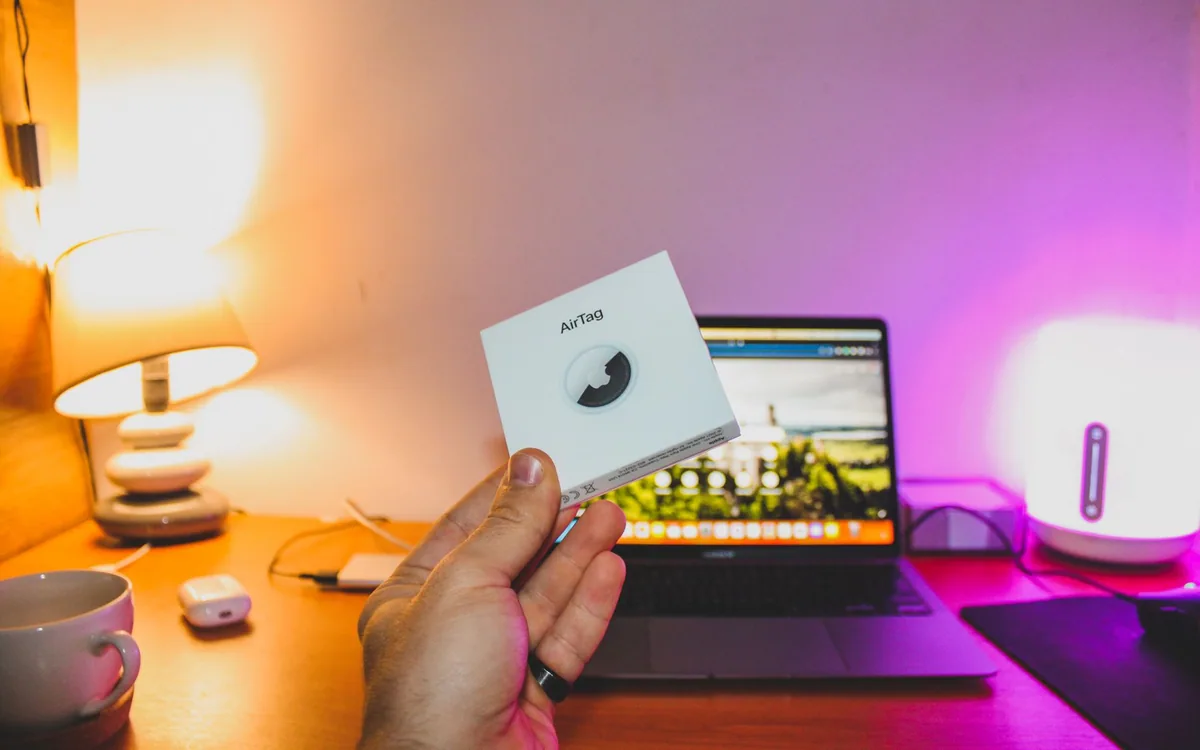
The carousel stops and your suitcase has not appeared. A tracker location can provide a useful clue, but a dot on a map does not tell the airline exactly how to route a delayed bag to your hotel. The useful purchase is one you understand before that stressful moment.
Bluetooth item trackers are also valuable in less dramatic situations: a backpack left in a café, keys beneath a coat, or a travel pouch packed into the wrong bag. Choose for those real recovery steps, not an expectation of uninterrupted surveillance.
| Situation | What helps | Limit to remember |
|---|---|---|
| Keys hidden nearby | Sound and supported nearby finding | Phone/model compatibility |
| Bag left at a venue | Network sighting and lost-item workflow | Location can be delayed |
| Delayed airline baggage | Tracker clues plus airline report | Carrier still controls baggage handling |
Choose the network that matches your phone
An item tracker depends on its supported phone ecosystem and nearby participating devices. Apple AirTag uses the Find My network; ownership and nearby-finding features have specific compatible-device requirements. Check the exact current model and phone support rather than assuming any Bluetooth tracker works identically with any phone. A shared household may also need to examine item-sharing support.
If you use Android, investigate an option designed for the network and phone you actually use instead of buying AirTag solely because the name is familiar. The value lies in being able to configure, find, and manage the item yourself. A tracker purchased without the right ownership workflow is an awkward gift and a poor travel tool.
Understand a sighting rather than imagine a live feed
AirTag broadcasts a Bluetooth signal that can be detected by participating Find My devices, which relay an encrypted location through the network. That creates opportunities to find an item beyond your phone's immediate reach. It does not turn the tracker into a cellular GPS unit that continuously reports its position everywhere. Coverage depends on available sightings.
Pay attention to the timestamp and context of a location. A recent airport sighting and an old hotel sighting carry different information. An item moving through places without participating devices may not update promptly. Treat the map as a clue for the next practical step, such as checking with a venue or filing a baggage report, rather than proof of a guaranteed current position.
Install it where it remains with the item
Put the tracker inside a secured pocket or use a suitable holder attached to a stable part of the bag. Avoid a location where it can fall out when the bag opens or where a loose accessory becomes a snag. A tracker that separates from the suitcase can send you toward the wrong object. Choose a position you can also reach for battery maintenance.
Add a conventional baggage tag with appropriate contact information and keep a photograph of the bag for identification. The tracker supplements those measures. For a borrowed or shared bag, use documented sharing features and make ownership clear. Track your own belongings with consent; do not use an item tracker to monitor another person without their knowledge.
Set up the recovery path before departure
Pair and name the tracker while you have time to resolve account or software issues. Try its nearby sound and supported finding workflow with the actual bag. Check battery status and familiarize yourself with lost-item settings. Setup should be complete before you are standing at an airport with a low phone battery and unreliable connectivity.
Apple offers temporary item-location sharing in supported circumstances, including certain airline workflows. Check the current participating airline and instructions when needed rather than assuming every carrier accepts the same link. Keep your baggage reference number and airline reporting process separate. A location-sharing feature does not replace filing a delayed-bag report or following staff instructions.
Know when the tracker is the wrong product
For a remote location with few nearby devices, a Bluetooth network may provide fewer sightings than you expect. If the actual need is continuous location reporting, compare a purpose-built device with its own connectivity, power needs, subscription, and appropriate use case. It belongs to a different buying decision from a small key or bag tag.
Skip a tracker if you cannot use its network or will not maintain the account and battery. Buy one for an item you frequently misplace, learn the recovery workflow, then decide whether additional tags are worthwhile. A multipack is convenient only when every unit has a clear job. No item tracker should be presented as a personal-safety system or a guarantee against theft.
Common questions
Is AirTag a live GPS tracker?
No. It uses Bluetooth and the Find My network. Updates depend on participating nearby devices and other conditions.
Can it guarantee that an airline finds my suitcase?
No. It can provide useful location clues, but you still need the carrier baggage-reporting process and ordinary identification.
Should I buy a tag before checking my phone?
Check ecosystem and exact feature compatibility first, including the requirements for nearby finding and shared access.
Sources & editorial notes
Manufacturer and support documentation checked for this guide. Features, regional availability, and prices can change. Our recommendations apply those documented features to everyday scenarios; they do not represent hands-on testing.
- Apple AirTag official Find My network, sharing and device notes · Checked 2026-10-19
Found an error? Tell the editorial desk with the article link and a supporting source.