Choosing a 27-Inch Monitor for Workdays and Games After Dinner
Our buying advice is based on published specifications and documented features. The shop links below go to official stores and currently contain no affiliate tracking. Read our disclosure.
Gear to consider
Start with your use case. Check the store for the current price, compatibility, and availability.
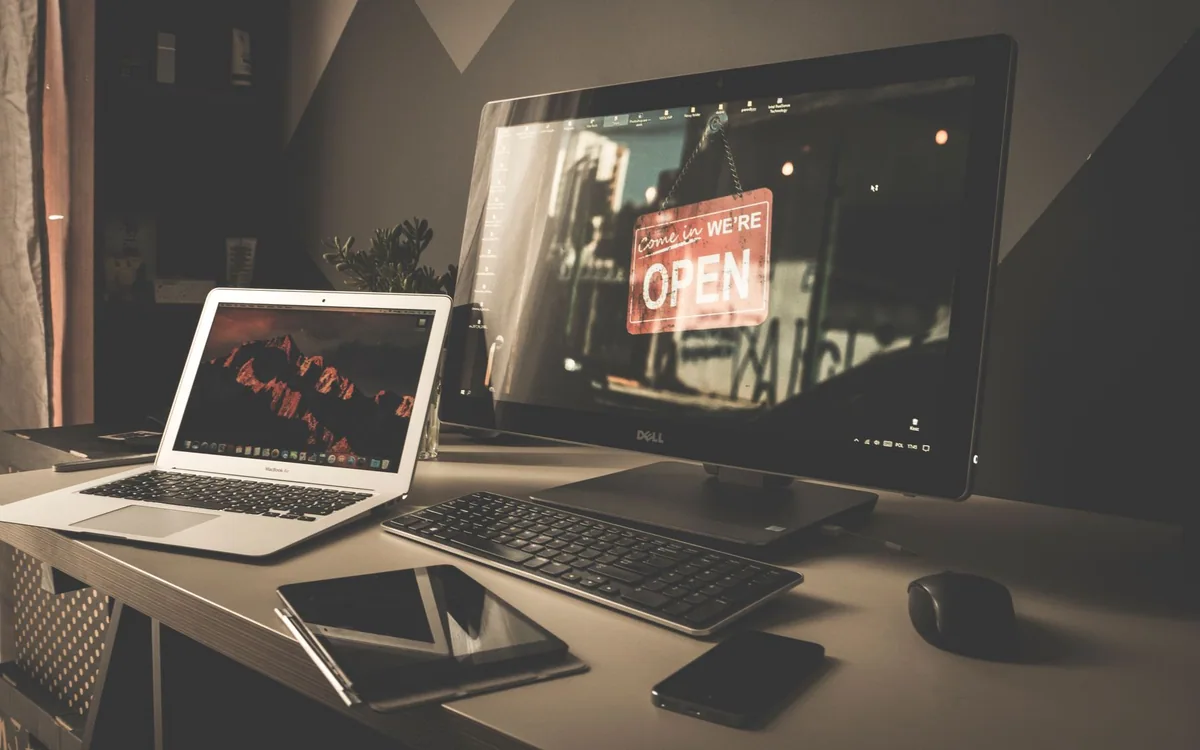
The same screen shows spreadsheets before dinner and a game afterward. In the afternoon, you want readable text and enough room for two windows; at night, you want smooth movement and convenient input switching. Buying purely as a gamer or purely as an office worker can leave half the day underserved.
A 27-inch monitor is a useful size to investigate, but its diagonal measurement does not tell you how it will feel at your desk. Resolution, scaling, viewing distance, stand design, and the connected computer all deserve attention before you order.
| Main priority | Favor | Check carefully |
|---|---|---|
| Documents and everyday games | Readable scaling and balanced refresh | Actual input modes |
| Fine-detail creative work | Resolution and supported color workflow | Application and calibration needs |
| Competitive play | Appropriate motion capability | Independent measured evidence before buying |
Choose readable text before maximum workspace
Compare the text size you can read comfortably at your normal sitting distance. A higher resolution can provide finer detail, but the interface may need scaling. The practical result depends on the operating system, applications, and your preferences. Do not assume that the highest pixel count gives the most usable workspace without adjusting anything.
Use a store demonstration or a borrowed screen to open a document and spreadsheet similar to your everyday work. Check small labels, thin chart lines, and the amount of information visible at a comfortable font size. If a display encourages you to lean forward all afternoon, the theoretical workspace advantage is not serving the setup.
Match refresh rate to the games and computer
A higher refresh rate can matter for motion, but the computer or console must produce a suitable signal and the games must run at a useful frame rate. Consider the titles you actually play. A quiet evening strategy game and a competitive shooter place different priorities on the same screen, and marketing labels rarely explain that distinction clearly.
Dell’s U2724DE is a concrete mixed-workflow candidate with published 2560 by 1440 resolution and up to 120Hz support. It emphasizes office connectivity as well as the picture. Those specifications do not establish measured motion quality or make it a specialist gaming recommendation; compare its documented modes with your own hardware and priorities.
Look closely at the ports you will use
Write down each device that connects: work laptop, personal desktop, console, or streaming box. Check the supported resolution and refresh rate for the actual input, plus the cable and adapters along the route. An impressive overall refresh-rate specification may require a particular connection. Avoid assuming an HDMI version label tells the entire story for every mode.
If the laptop should charge through the monitor, confirm the upstream port and delivered power. Dell publishes up to 90W on the U2724DE’s Thunderbolt upstream connection. This can simplify a compatible setup, but check the laptop requirement. You should also know how keyboard and mouse connections behave when switching between sources rather than assuming the display automatically moves them.
Measure the stand, room, and sound plan
Check the stand’s depth and the available desk depth after the keyboard is positioned. A large base can push the screen closer than expected or consume the space where you keep a notebook. Adjustable height, tilt, and a compatible mounting option can be more valuable than decorative lighting when the display serves as an all-day work tool.
Think about the room at the hours you use it. Window reflections during work and a bright panel in a dark room are different conditions. Confirm accessible brightness controls and consider a modest background light. Also check audio: do not assume a monitor includes speakers, and plan how headphones or external speakers will connect to the active device.
Spend on the compromise you cannot fix later
A cable can often be changed; the panel’s resolution and basic format cannot. A stand may be replaceable with a suitable arm, but that adds cost and requires a desk that can support it. Put more of the budget toward the picture and connectivity requirements you cannot easily add after purchase.
Check the current price and return policy, including how defects or damaged deliveries are handled. During the return period, use both a normal workday and a familiar game at the intended settings. Confirm waking, switching inputs, text comfort, and motion. A screen that fits both halves of the day can be a better buy than one with a single standout specification you rarely benefit from.
Common questions
Is 4K always better at 27 inches?
It can provide finer detail, but usable text size, operating-system scaling, price, and gaming load all affect the decision. Compare your applications at a comfortable scale rather than treating resolution as the only quality measure.
Will a hub monitor replace my laptop charger?
Only when its delivered power and charging support meet your laptop’s requirements. Check the upstream specification and the computer documentation, especially for demanding workloads.
Sources & editorial notes
Manufacturer and support documentation checked for this guide. Features, regional availability, and prices can change. Our recommendations apply those documented features to everyday scenarios; they do not represent hands-on testing.
- Dell: U2724DE display modes, ports, and power · Checked 2026-10-19
Found an error? Tell the editorial desk with the article link and a supporting source.