Set Up Bedside Charging That Works When You Are Half Asleep
Our buying advice is based on published specifications and documented features. The shop links below go to official stores and currently contain no affiliate tracking. Read our disclosure.
Gear to consider
Start with your use case. Check the store for the current price, compatibility, and availability.
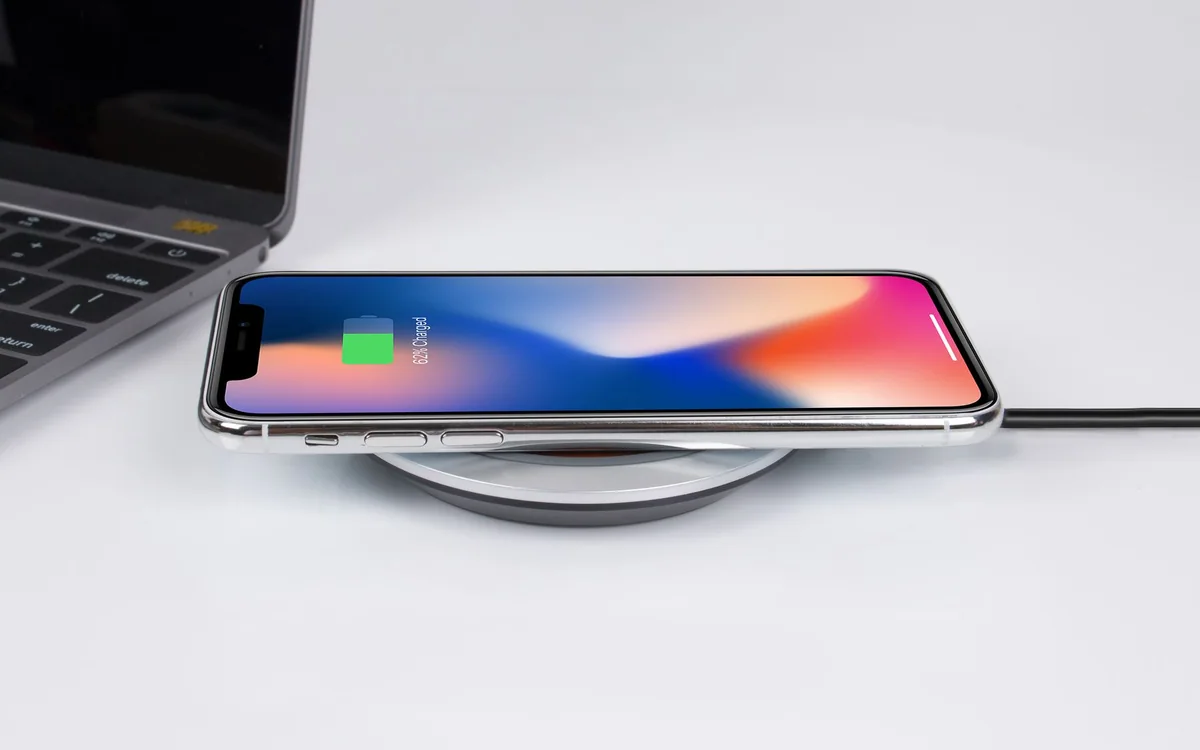
You put down a book, switch off the lamp, and set the phone on a charger by feel. In the morning, it has barely charged because it landed slightly to one side. A good bedside arrangement should make that routine easy, without a bright indicator shining across the room or a cable falling behind the furniture.
Wireless charging can reduce the nightly connector search, but a well-placed cable can also work very well. The right purchase depends on the phone, case, table, and whether another person shares the space.
| Bedside habit | Useful format | Check before purchase |
|---|---|---|
| Phone stays parked | Compatible magnetic stand | Case fit and screen direction |
| Frequent pickup | Accessible cable | Reach and cable retention |
| Several devices | Multi-device station | Exact watch and earbud support |
Map the bedside table before adding hardware
Measure the usable surface after the lamp, water glass, book, and glasses are in place. A tall charging stand may have a small base yet collide with a lampshade or block a drawer. A flat pad can disappear under a book. Keep the charger away from the table edge and give the cable a route that does not cross a walking path.
Check where the wall socket sits. A short built-in cable may require an awkward extension; a heavy adapter can be inconvenient behind furniture. Confirm whether the charger includes a power supply and whether that supply supports the advertised charging mode. Account for the entire kit’s cost and shape rather than the charging surface alone.
Verify alignment and case compatibility
Magnetic alignment is useful when the exact phone and case support it, but physical attachment does not establish every charging capability. Read the charger maker’s model list. A thick case, attached wallet, metal accessory, or unusual camera surround can affect placement. Remove objects as the manufacturer instructs, and check for the charging indicator after setting the phone down.
Compare that routine with simply keeping a compatible cable clipped near the tabletop. If you often pick up the phone for a long call while in bed, a cable may offer more freedom. If you want the phone parked in one visible location, a stand may be worth the extra space. Choose the interaction you repeat nightly.
Treat maximum speed as a secondary consideration
An overnight session usually offers more time than a quick daytime stop. Fast charging may still matter when you forget to charge until morning, but compare the complete supported system before paying extra. The phone, charger, adapter, software, battery level, and temperature influence actual charging behavior. Published maximum wattage is not a guaranteed overnight result.
For example, Anker’s A1654 magnetic bank publishes wireless and USB-C charging options, but a portable battery is principally a carry accessory. It can illustrate magnetic alignment without being the most economical permanent bedside purchase. If you already own one, follow its instructions for simultaneous charging and recharging rather than assuming it is designed for every dock-like arrangement.
Check the room in the dark
Look for information about status LEDs and whether they can be dimmed or switched off. A small light that seems harmless in a bright product photograph can be distracting in a dark bedroom. An angled phone screen may also face your partner. Arrange the display and notification settings to suit both people, and keep the phone easy to retrieve without knocking other objects over.
Give charging equipment an open, stable surface and follow manufacturer temperature and placement instructions. Avoid burying it under pillows, bedding, or a stack of papers. If the phone becomes unusually warm or charging behaves inconsistently, inspect the arrangement and compatibility instead of covering the setup to hide its lights or moving it into an enclosed drawer.
Make a small purchase solve one clear problem
Buy a single-device charger when the phone is the only nightly item. A multi-device stand makes sense when it replaces several chargers you actually use, but confirm support for the exact watch and earbud case. Similar-looking watch pucks do not all use the same charging system. An unused third charging spot is simply more hardware to dust.
Before keeping a new charger, run several ordinary nights with your current case and normal alarm routine. Check that charging starts reliably, the cable stays in place, and the phone is comfortable to reach. For a basic wired fallback, a clearly specified USB-C cable and compatible adapter may provide all the convenience the bedside needs at a lower total cost.
Common questions
Does a magnetic case make any phone wireless-chargeable?
No. The phone must support the relevant wireless charging capability. Magnets in an accessory or case can assist attachment, but they do not add a charging receiver to the phone.
Should I replace a working cable setup?
Only when a different arrangement resolves an actual frustration. Try a cable clip and better cable routing first. A reliable existing setup is a sensible choice if wireless charging would add cost without improving the routine.
Sources & editorial notes
Manufacturer and support documentation checked for this guide. Features, regional availability, and prices can change. Our recommendations apply those documented features to everyday scenarios; they do not represent hands-on testing.
- Anker: A1654 compatibility and charging modes · Checked 2026-10-19
- Apple: dual-port adapter · Checked 2026-10-19
Found an error? Tell the editorial desk with the article link and a supporting source.